SOC operational workflow
From alert to incident, without losing context.
ShadowThreat brings alerts, cases requiring further review, evidence and incidents together in two operational paths. AI prepares a recommendation; the analyst reviews it, makes the decision and remains accountable for the outcome.
Alerts, assets, evidence and decisions in one connected workflow.
From signal to case
Two operational paths. One point of control.
When enough information is already available, an alert can become an incident immediately. When further investigation is needed, multiple signals can be connected and reviewed together. Both paths preserve the environment, evidence and decisions.
Incoming signals→Alerts
Fast-track path
Initial assessmentAnalyst decision
Investigative path
Related signalsInvestigationAnalysisOpen the case
Availability depends on configuration and phased activationOperational case (incident)Evidence · Actions · Updates
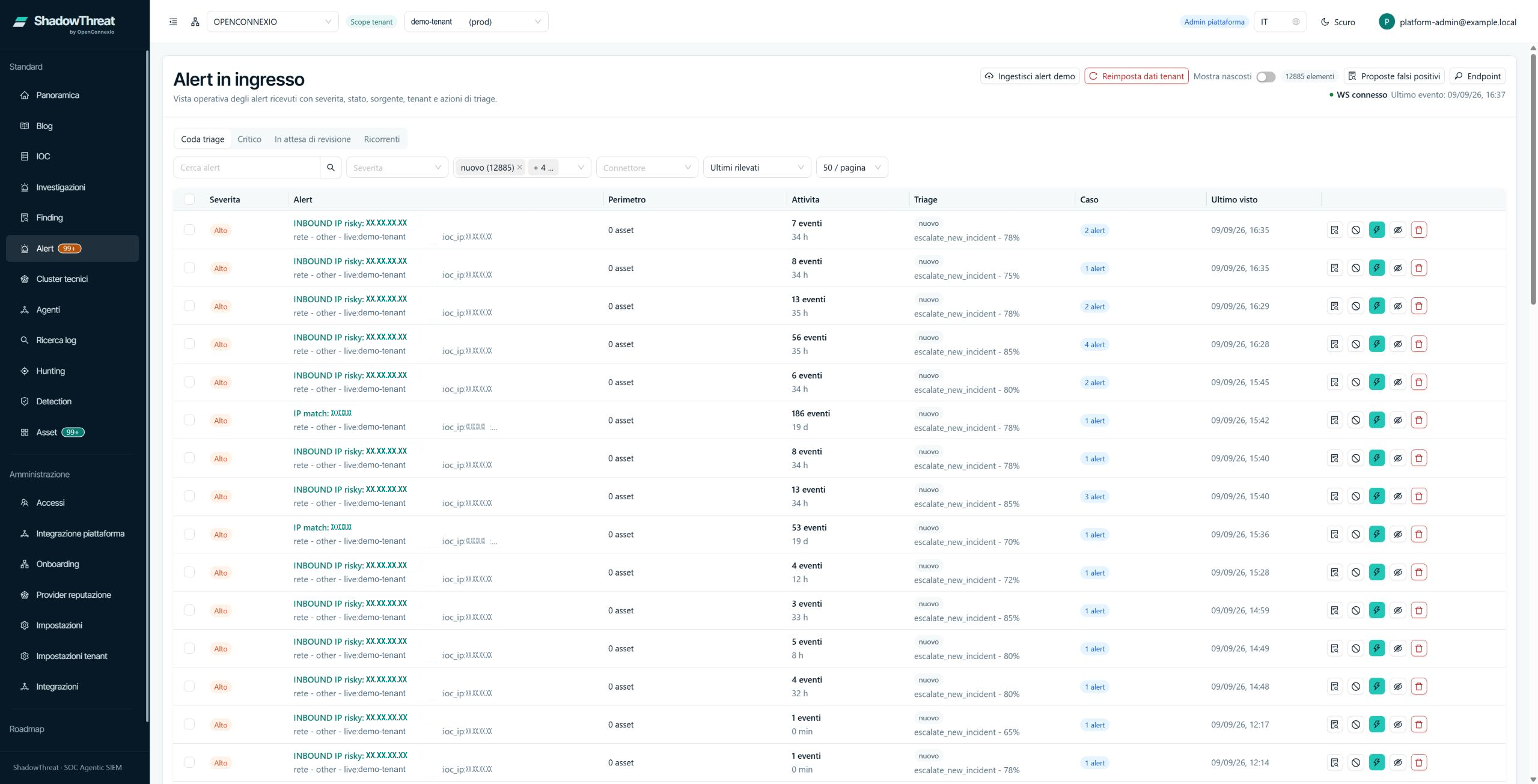
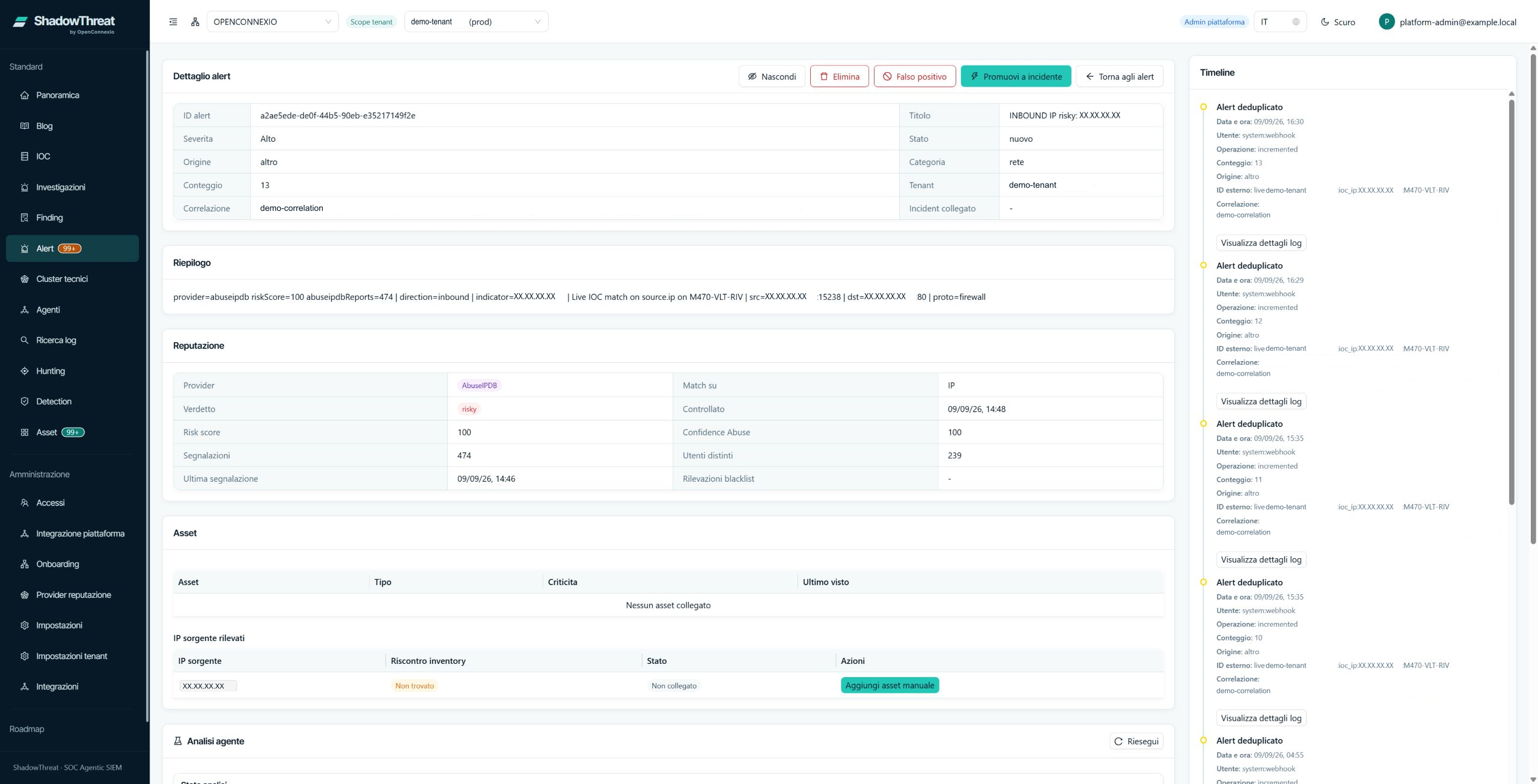
01 — Incoming alerts
See what needs attention at a glance.
Search, severity, status, source, recurrence and the selected environment help the analyst set priorities. Every alert keeps technical details, assets, history and available actions together.
- Customer and environment always visible
- Priority, status and recent activity
- Assets and details needed for assessment
02 — Assisted assessment
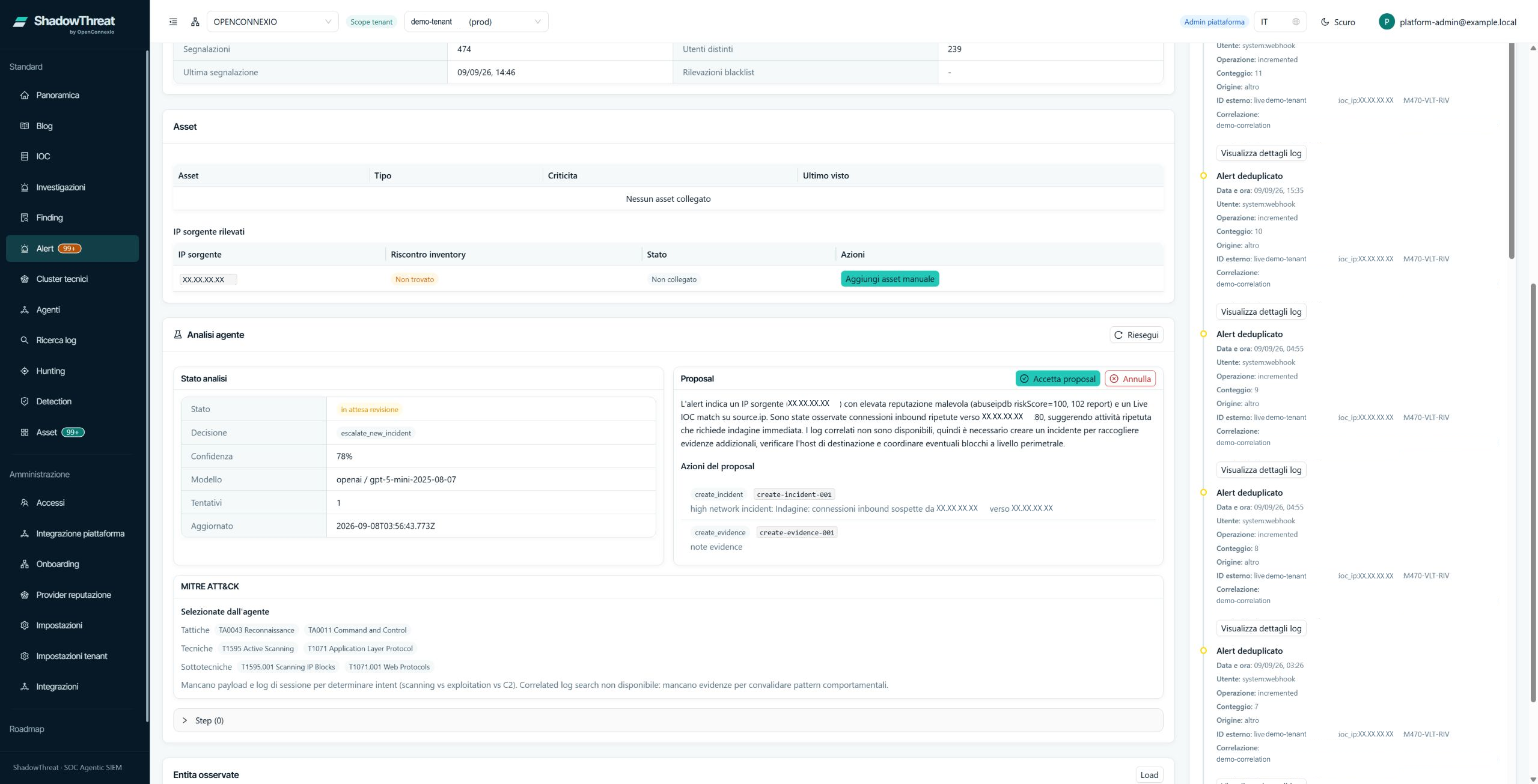
AI prepares the recommendation. The analyst controls the outcome.
For every analysis, ShadowThreat shows a recommendation, its rationale, confidence level and suggested actions. No action is applied without analyst review.
- Start or repeat the analysis
- Review the recommendation, rationale and steps
- Accept the proposal when applicable
- Cancel the analysis
- Open an incident based on context and permissions
AI supports the assessment; the decision and accountability remain with the analyst.
03 — Connect related signals
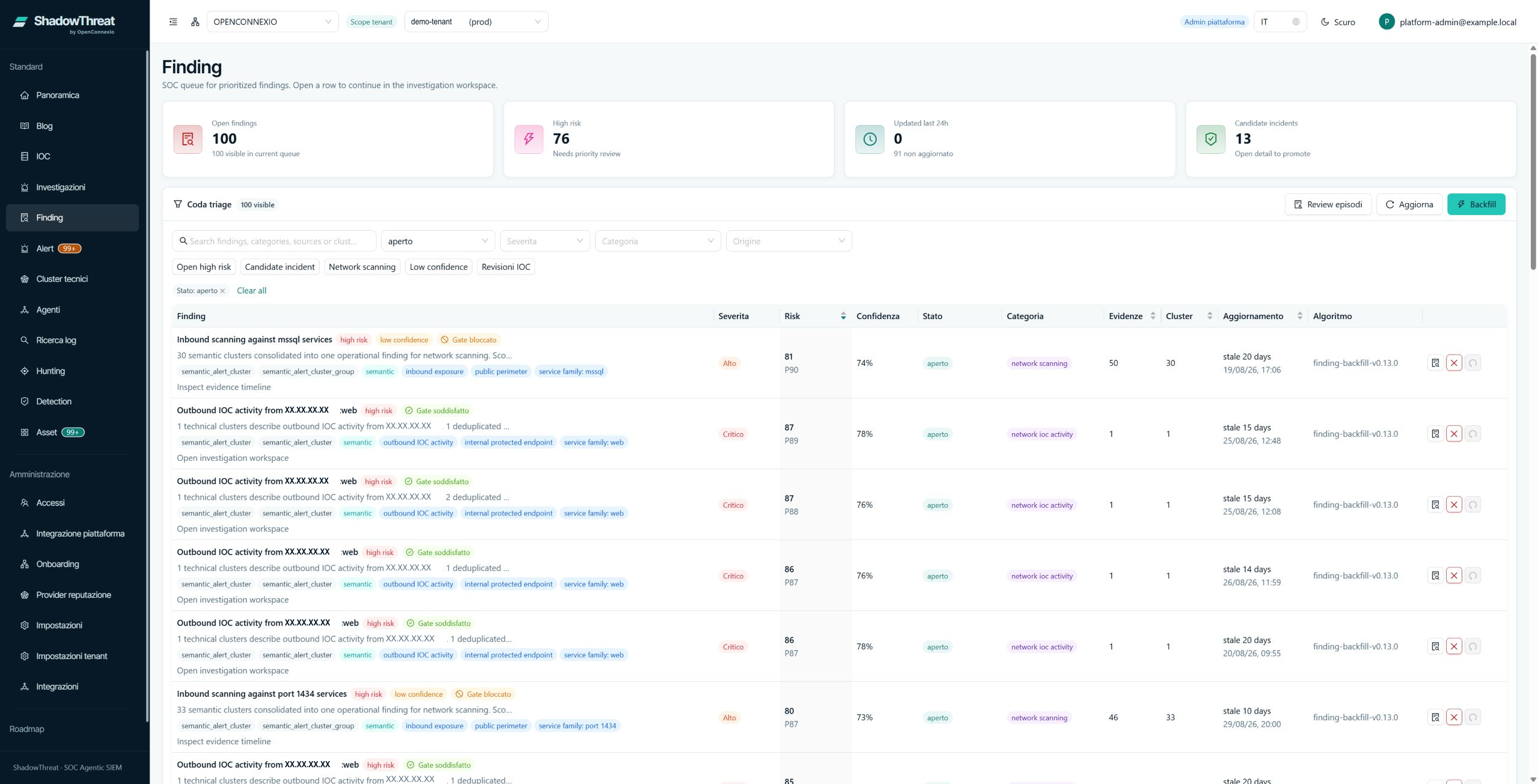
Controlled activationWhen one alert is not enough, connect the signals.
When multiple alerts appear to relate to the same issue, ShadowThreat brings them into one case for further review, preserving severity, risk, evidence, affected systems and history before an incident is opened.
Capabilities and availability depend on configuration and deployment scope.
04 — Incident management
Turn what you have validated into a case your team can manage.
An alert or a case requiring further review can become an incident. The case keeps its starting point, evidence, actions, tasks, status and operational ownership connected.
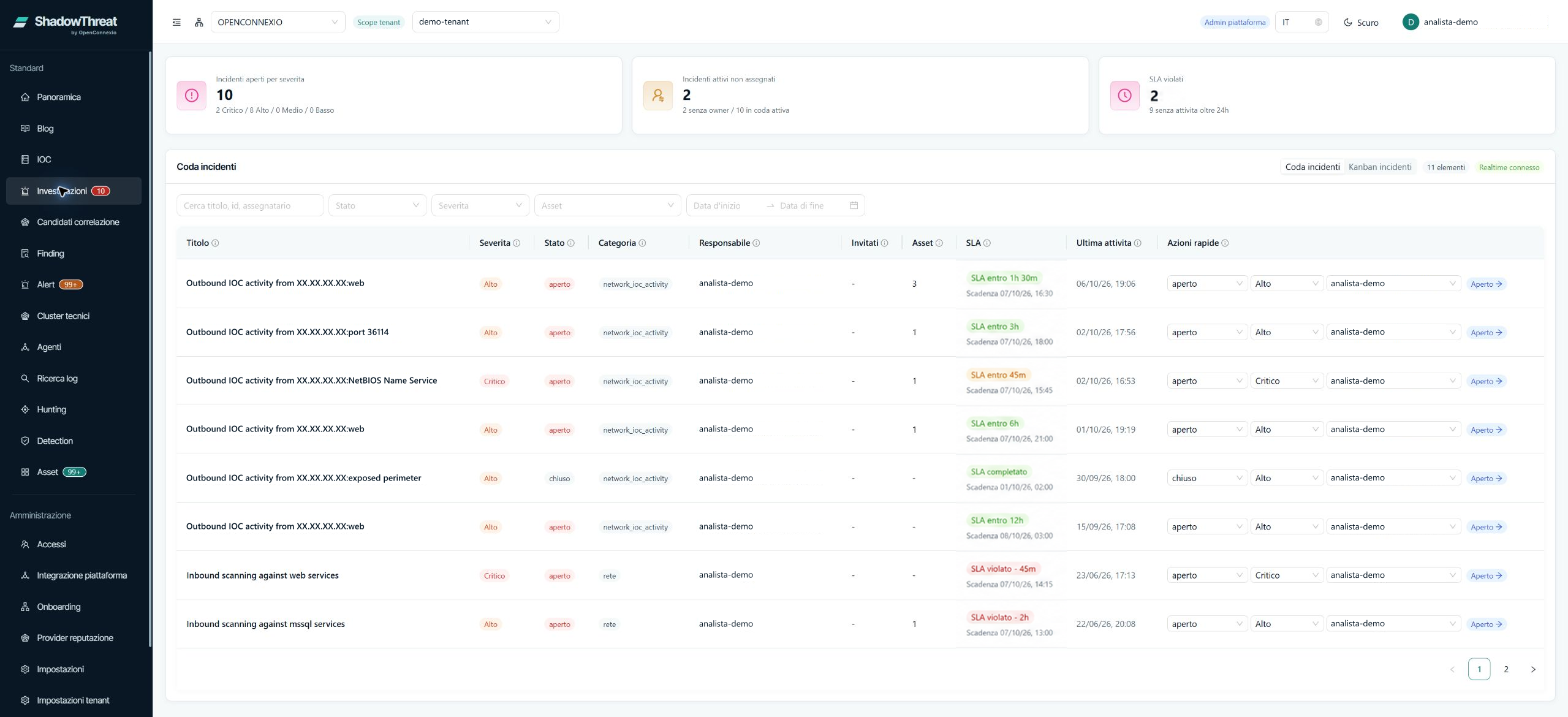
Scope and control
Every step remains linked to the correct customer and environment.
Customer, separate environment (tenant), roles and sources define the operational scope. Alerts, findings, incidents, analyses, recommendations, evidence and decisions remain linked to that scope.
- Customer and environment always visible
- Human decision at controlled steps
- Evidence linked to the case
FAQ
How do we work through a case?
I’ve already verified an alert. Can I open an incident straight away?
Yes. If you have enough evidence to act and your role allows it, you can open an incident directly from the alert. The case keeps the original alert and its evidence together. You can then record who’s handling it and what needs to be done.
New evidence has come in while I’m reviewing an alert. Can I run the analysis again?
Yes, if assisted triage is enabled in your environment. Return to the alert, run the analysis again and read the reasoning behind the new recommendation. Before acting, check that reasoning against the evidence you’ve just verified.
Two of us are working on the same incident. Where do we record who should run the next check?
In the case, you can name the incident owner and assign individual tasks. For example, you can ask a colleague to check the server logs. Keep updates in the case so you can both see whose turn it is and how the work is progressing.
See the workflow for your case
Follow an alert through to the operational decision.
Tell us about an alert or operational need, and we will prepare a demonstration aligned with the way your organization manages security.